|
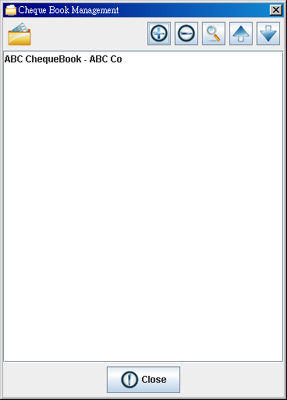
Cheque Book Management allows you to manage your cheque book. There are five icons on the top. They are
Add - Add a new cheque book.
Remove - Delete the selected cheque book.
Edit - Edit the selected cheque book.
Up - Move the selected cheque book upwards in the list.
Down - Move the selected cheque book downwards in the list.
Cheque Book Details
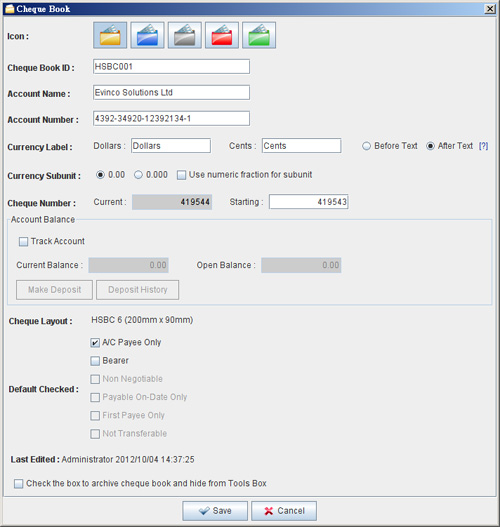
You need to provide the information of the cheque book, includes
Cheque Book ID - An ID to identify the cheque book. It is used for record only.
Account Name - The name of the account which the cheque book belongs to. It is important for account report generation.
Account Number - The A/C Number of the account which the cheque book belongs to. It is important for account report generation.
Currency Unit - Specify the currency label and subunit value. By default, they are Dollars, Cents and 1/100.
Cheque Number - The cheque number sequence of the cheque book.
Balance Tracking - Assign an account balance if you want to perform balance tracking.
Cheque Layout - The layout that this cheque book used. This layout should fit your physical cheque book, otherwise the printout may not correctly align.
Default Checked – Set the fields as selected when creating a new cheque.
|